Role Based Scoping is 10x Better Than Department Scoping in Your CRM
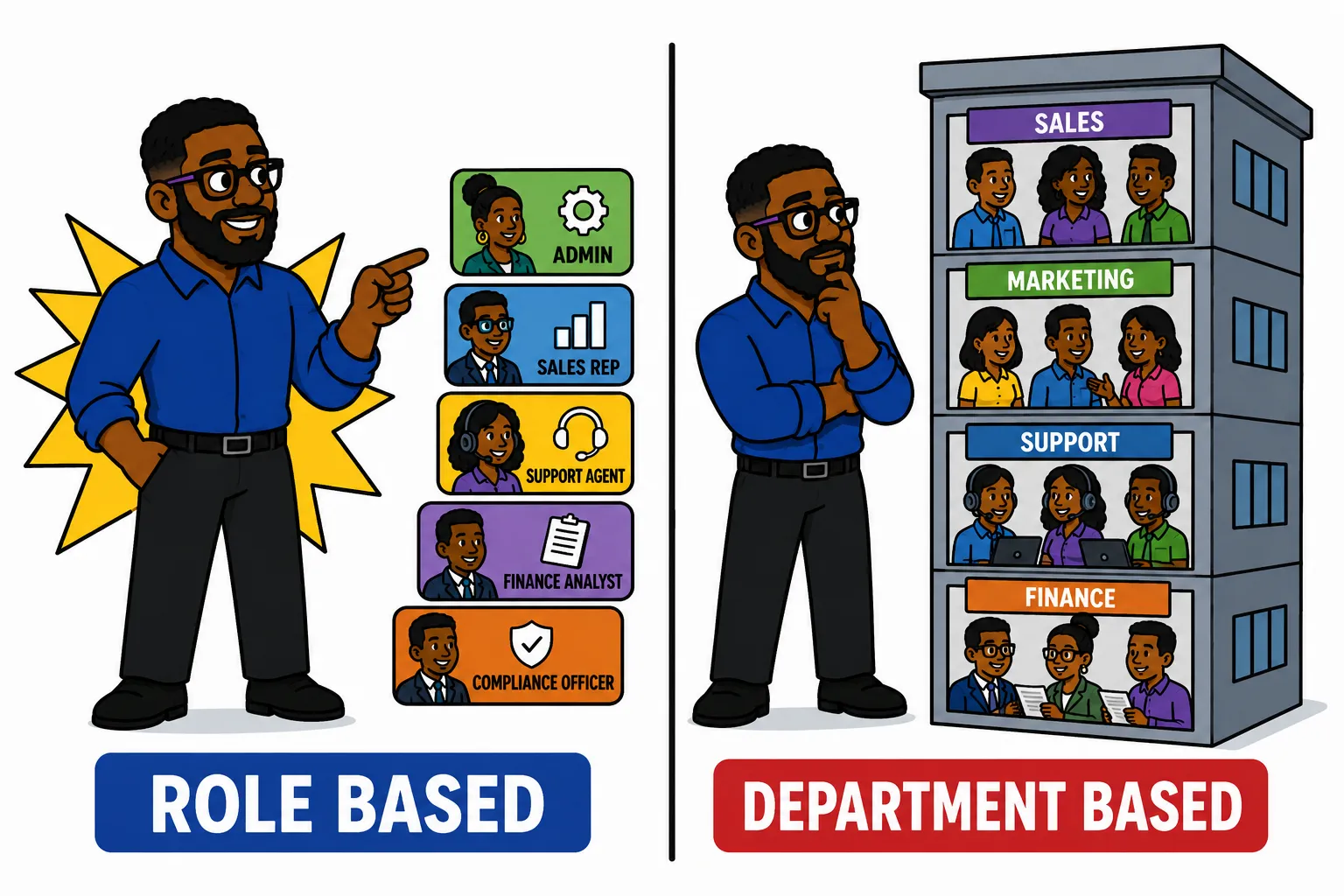
Scoping user access in your CRM is probably the least sexy thing about the software. Most people focus on closing deals, converting opportunities, and resolving cases/support tickets. But, if left unattended, improperly scoped user access can mean lost revenue or regulatory issues. The most common mistake I see in CRM access management is basing a person’s access solely on the department they work in. This is a good baseline but rarely tells the full tale of what type of actions a user takes during the work day.
Job Description Scope Creep Renders Department-Based Access Unreliable
The burden of ‘wearing many hats’ — also known as tasks increasing while pay remains stagnant — is an all-too-common occurrence in many companies. It’s part of a bigger pattern worth understanding: a person’s actual role scope tends to drift further from their job title over time, and CRM permissions are usually the last thing to catch up. As a result, receptionists may need access to infrastructure data or IT people may need access to network pricing info. So, to configure the CRM in a way that is not too locked-down but accessible enough to work with minimal friction is a challenge.
In my platform, Super Easy CRM, I’ve built out field-level permissions that can be tied to one or many permission sets. And, mirroring what happens in the real world, users can be granted many permission sets to allow them access to different areas of the application. Here’s the framework I use to help system admins and product owners build out the perfect permission sets.
- 1 List all the relevant modules/objects in your CRMLeads, Contacts, Products, etc.
- 2 Get inventory of the most utilized fieldsDon’t just go with the most updated — consider the ones viewed the most as well.
- 3 Pick a departmentStart with engineering or accounting, or any department with defined roles and responsibilities.
- 4 Build a base permission setBuild a permission set with minimal permissions. This will be the default for users in the department.
- 5 Define roles within the departmentWithin engineering, for example, you may have DevOps, Software Engineers, Solution Architects, etc.
- 6 Give these roles permission setsSolution Architects, for example, tend to need access to more areas than DevOps and Software Engineers.
- 7 Name the permission sets by functionI often use names like PHI Viewer, Contract Editor, etc.
- 8 Layer these on top of parent sets to provide the appropriate levels of accessFor example, a Solution Architect will have a parent permission set of IT, then PHI Viewer, Contract Viewer, Banking Viewer, etc.
Sr. Solution Architect Permission Set Example
Here’s a real life example of a permission set I built out for solutions architects just like myself. This is for a solution architect that codes about 20% of the time, meets with clients, demos, configures VMs, builds middleware, and builds end to end solutions.
| Bugs / Support Tickets | Read / Write |
| Reports | Read / Create |
| Contacts | Read / Write |
| Field: DOB | |
| Field: SSN | |
| Field: Account # | |
| Companies | Read / Write |
| Field: Contracted Rate | |
| Field: Contract Term Date | |
| Field: Allowed Billable Hours | Read Only |
| Companies | Read / Write |
| Field: Contract Term | Read Only |
| Field: Professional Service Hours | Read Only |
| Field: Signer(s) | |
| Field: Contract Type |
Sets like these are becoming more and more common due to expanding duties in companies all over. The reason I abstract permission sets like this is to create re-usable components that can be applied across different user types.
Instead of creating a ‘Healthcare IT’ type, I built a PHI Viewer and bound it to the IT permission set. This lets me re-use PHI Viewer across Accounting, Human Resources, and whoever else needs it.
Watch Out for Zombie Accounts
In a perfect world, IT would be notified if a person switches departments, and on the same ticket, they’ll be instructed on which permissions need to be added and removed. However, the world is far from perfect and in most cases IT is only told what new access they need to add.
This results in users collecting access like infinity stones as they progress through their tenure with an organization. To prevent this, build out a position change ticket template that sends IT a list of access the user currently has. Then, a task can be assigned to the new manager and they can make the call as to whether the user still needs the access to systems they currently have.
I remember a wild case where an employee went from a call center agent to a mortgage specialist, a network admin, then finally a specialty lending officer. Along the way they kept access to call center software, network info, people’s mortgage applications, interest rates, and a ton of other things. It’s a good reminder that a CRM tracks career movement whether you plan for it or not — the same reason I’ve argued you can run your own job search through your CRM and treat your career like a pipeline worth managing.
What Happens Without User Scope Control
I worked in a healthcare organization that built pretty basic permission sets. Essentially, they just prevented non-admins from being able to delete records. This meant that all users could see and edit most things, which didn’t really present much of a problem until a user created a report to share with an external partner.
The user needed to send a report of all contacts enrolled in a marketing campaign. This particular export was only supposed to include the user’s first name, last, and email address. However, since user access wasn’t scoped and the user simply applied a filter for the campaign and hit export; the external client got everything.
Social security numbers, birth dates, primary diagnosis codes, and more were in the hands of a firm that had no business receiving sensitive information.
Scope Properly Now, Or Pay Later
A CRM implemented with access controls as an afterthought is one destined for issues down the road. This is especially true for highly regulated industries. Depending on the number of users you’re onboarding, user role definition can be a daunting task. It’ll require input from multiple department heads, managers, and end users. You may have to conduct interviews and do quite a bit of recon to properly define them. And, this isn’t just a set-and-forget-it type of initiative. To the contrary, access controls should be reviewed often, especially if people bounce between departments and job descriptions change often. But, you don’t have to go it alone — platforms like Super Easy CRM enable granular controls that aren’t overwhelming and are simple to implement without getting a developer involved. It’s the same philosophy behind making your CRM less annoying in general: the goal is never more software for software’s sake, it’s friction removed from the parts of the job people actually have to do.
If you’re looking to harden your CRM, I’m just a DM away on LinkedIn. Or, drop me a message at contact@supereasycrm.com.

Posted by: Matt Irving on 07/26/2026