Do I Need a New Person, or Can My CRM Help?
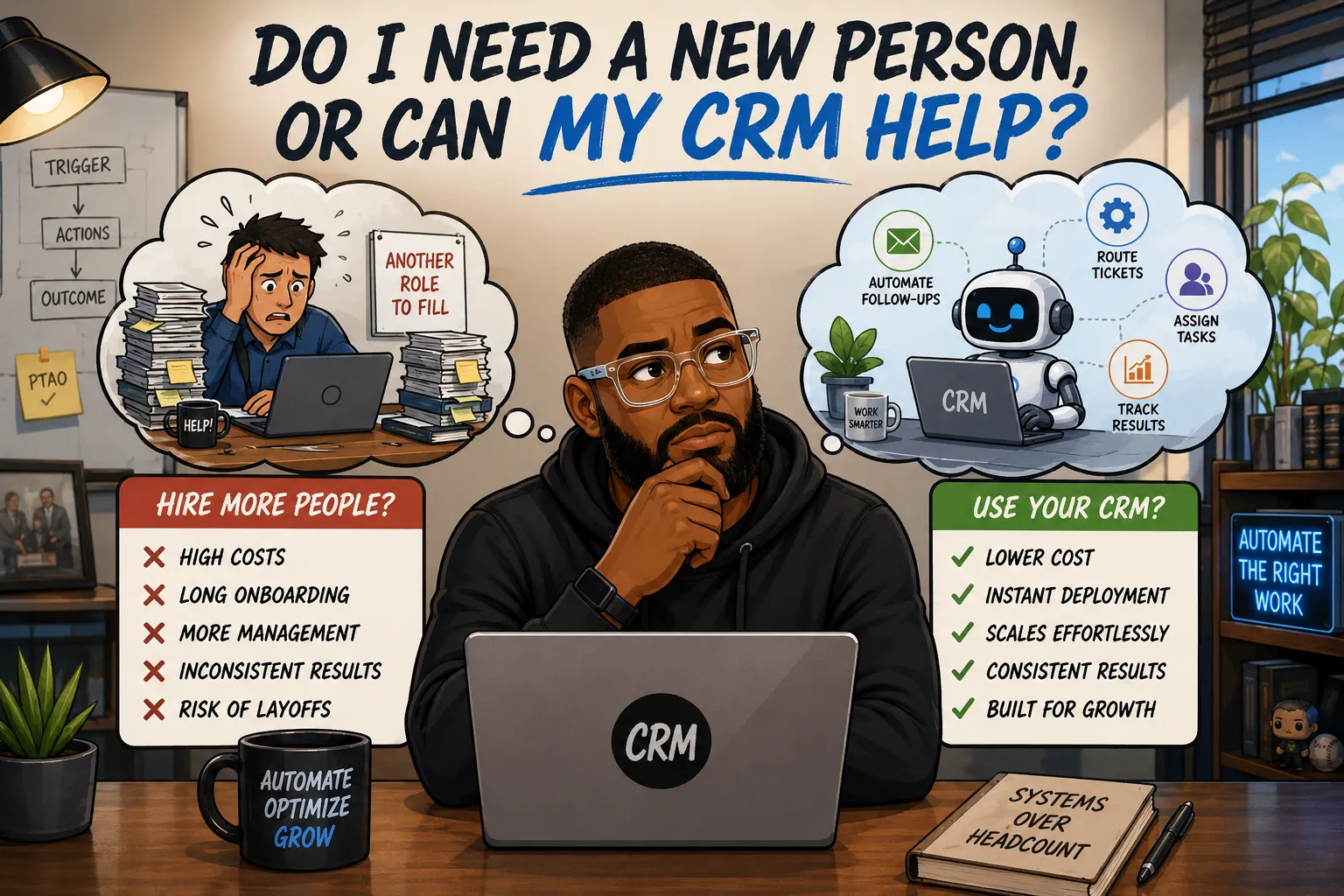
In super ops heavy industries like healthcare, insurance, real estate, and others, there is an all too common theme. Something in the business is breaking, now that may mean tickets are piling up, leads are going cold, or, data is gross. Your instinct, like many others, is to hire someone to fix it. This certainly makes a ton of sense on the surface. The problem is very visible, the solution feels obvious (more people means more hands to fix my problem). So posting a job opening seems to be the next logical step.
But, before you do that, ask yourself this question: is this actually a people problem, or is it a process problem that I am relying on people to fix?
I've worked with enough SMBs in healthcare, insurance, and field services to know that the answer is almost always the second one. The work that's piling up is usually repetitive, trigger-based, and completely predictable. Someone dropped the ball not because they're incompetent, but because the system they're working in set them up for failure. And you cannot hire your way out of a broken process. You just end up with more people doing broken things.
What a Hire Actually Costs You
Before we get into some of my war stories, it's worth noting what you're really signing up for when you bring on someone to handle operational gap work.
| Role | Avg Annual Salary | Loaded Cost (est. 1.25x) | What They're Usually Hired For |
|---|---|---|---|
| Data Entry Clerk | $38,000 – $42,000 | $47,500 – $52,500 | Manual data transfer between systems |
| Admin / Ops Support | $42,000 – $50,000 | $52,500 – $62,500 | Follow-ups, routing, scheduling |
| CRM Data Coordinator | $45,000 – $55,000 | $56,000 – $69,000 | Record cleanup, reporting, syncing |
| Part-Time Triage Support | $18,000 – $24,000 | $22,500 – $30,000 | Ticket sorting, basic case routing |
The loaded cost column accounts for payroll taxes, benefits, and the overhead most owners underestimate when they're running the math. It does not account for the time you spend recruiting, onboarding, training, and managing that person. That's real time out of your week that doesn't show up in a salary figure.
A CRM automation build for any of the workflows described above runs a fraction of that and scales without adding headcount. I'm all for people hiring and getting jobs but businesses should think twice before adding staff to solve work that is repetitive and predictable. In the age of AI Agents, hiring should be done for things that cannot or should not be automated.
The Framework I Use Before Building Anything: PTAO
Every automation I build for a client runs through the same four questions before I write a single flow. I call it PTAO: People, Triggers, Actions, Outcomes.
Pro tip: If you're like me and bought an Apple Pencil to go along with your iPad that you seldom use but promised to start drawing with, mapping out this framework is a great way to put that pricey stylus to use. I'm constantly drawing out system architecture and automations on my iPad and it helps tremendously. Plus doing that along with wearing my transparent Meta Ray Bans makes my clients feel like they hired a literal cyborg to fix their tech problems.
People are everyone affected by the broken process, not just the person doing the manual work. In most cases there's a downstream person absorbing the delay who never appears in the conversation when someone decides to hire.
Triggers are what should be starting the process automatically. A ticket created with a specific type. A lead record with no activity in a defined window. A case loaded into the CRM that morning. If you can define the trigger precisely, you can automate the response to it.
Actions are what the system does when the trigger fires. Route a ticket. Fire off a series of child tasks to the right teams. Send a follow-up sequence. Sync a record to another platform. The actions are the technical layer, and they only make sense once you've nailed the trigger and know what outcome you're driving toward. One thing I'd add here: if you're connecting external tools into this layer, something like hooking up n8n to SuperEasyCRM opens up a lot of what's possible without needing a developer on call.
Outcomes are the actual goal of the automation, not just the output it produces. The output might be a ticket routed to the right queue. The outcome is an SLA that stops getting violated and a client who stops calling to ask why nobody responded. Keep the outcome in focus or the build will solve the wrong problem. This is also why most CRM automations fall apart within six months — they were built around the output and nobody defined what success actually looked like.
Let me walk through some real examples using this lens.
Example 1: The Ticket Triage Hire That Never Happened
A client came to me after a product restructuring created an influx of support tickets their team wasn't equipped to handle. The bigger issue wasn't volume, it was routing. Tickets were being assigned to the wrong people, SLAs were getting violated regularly, and the proposed solution was to bring on part-time triage help to manually sort and reassign incoming cases.
When I mapped the process using PTAO, the trigger was obvious: a ticket created with a specific type. That's it. Once a ticket landed with a type like "Offering A Onboarding," the workflow was completely predictable every single time. Create an account in system X. Email accounting to adjust the billing interval in Stripe. Assign to the right team members. None of that required a human decision.
What it did require was some re-education of the team on how they were tagging tickets. Once people understood that tagging consistently was what enabled the system to do the routing automatically, they bought in. The automation handled the rest: it listened for any ticket created with the type "Question," adjusted the assignee if the wrong person had been selected, and fired off a series of predefined child tickets to the appropriate teams automatically.
All of this was tracked on the parent ticket, so the person who opened the request could see exactly what was happening with it at any point. There was no new system for anybody to log into, only a slight revision to how they already worked. All the heavy lifting was handled by the machine running behind the scenes. And as a result, that part-time hire never happened.
Example 2: Lead Follow-Up Was About to Become Someone's Full-Time Job
Another client was watching leads go cold and about to designate a person specifically to manage follow-up. The problem with most follow-up automations is that they define "stale" in a rigid way: no activity in X days, trigger a call. That sounds logical until you realize that a rep may have just spoken to someone who said "check back in three months, we're in the middle of a restructuring." Under a rigid rule, that person gets a call in two days anyway. The rep looks disorganized. The prospect gets annoyed.
I built a profile of what a stale lead should actually look like before triggering anything. The automation checked whether the contact was marked as on hold in a separate field. It looked at when the last note was entered and whether a future follow-up date had been set. It factored in email activity. Only when a lead met the full profile of genuinely cold did the automation fire.
The result was a follow-up system that behaved the way a good rep would behave if they had perfect memory and zero distraction. Leads who had already set a future touchpoint were left alone. Leads who had fallen through the cracks got flagged. The person who was going to be hired to manage this manually was redeployed to work that actually required human judgment.
Example 3: CRM Data Cleanup at Scale
Free text fields that need to become dropdowns are a rite of passage for any growing business that customized their CRM early and fast. The problem is you can't just swap the data type. You have to delete the original field, create the new one, migrate the data, and run quality checks to make sure nothing got lost or corrupted.
For one client, this was shaping up to be a manual onboarding project for a temporary hire who would go record by record and re-enter everything. Instead, we scripted the migration: extracted the existing values, mapped them to the new standardized dropdown options, loaded the data into the new field, and ran automated QC checks to flag any records that didn't map cleanly for human review. In total, the automation touched and updated 39 custom fields across two different objects and roughly 92,000 records.
Example 4: Call Logging Was Slowing Down a Call Center
Reps were spending so much time after each call logging notes into the CRM, updating email records, and documenting elsewhere that customer wait times were increasing. The business owner was looking at expanding the call center headcount to compensate for the throughput loss.
The fix was integrating the telephony platform directly with the CRM. Calls were initiated with a single click from inside the contact record. When the call wrapped, a transcript was sent automatically to that contact's record along with an AI-generated summary. Reps went from toggling between systems and duplicating their own work to logging one time in their source of truth and moving on. If you want to get a better sense of how tracking time and activity inside a CRM changes what you can measure and act on, this piece on estimated vs actual time in CRM workflows is worth a read.
The call center headcount conversation ended. The reps got faster. The customers waited less.
Example 5: Paying Someone to Move Data Between Salesforce and Smartsheet
This one is common in any business that works with external vendors or partners who don't have access to their primary CRM. A client was running their operations out of Salesforce and collaborating with a vendor through Smartsheet. Because the vendor couldn't get into Salesforce, someone was manually exporting records, reformatting them, and entering them into Smartsheet. The owner was about to hire specifically for that job.
There's a premium connector that makes Salesforce and Smartsheet almost plug-and-play, but cost was a real constraint and the data didn't need to be real-time accurate. So we went a different route. On the Salesforce side, we scheduled a data export, transformed and mapped the output to match Smartsheet's structure, deposited it, and set it to refresh every six hours by pulling from Smartsheet and posting the updated data back to the appropriate Salesforce object.
Nobody needed to touch it. The manual data entry hire never materialized.
The Question Worth Asking Before You Post a Job
When a process is breaking, the instinct to hire is understandable. It's visible, it's fast, and it feels like it solves the problem. However, just because you've always done things a certain way doesn't mean you should continue to do so. In most ops-heavy businesses, the work that's piling up has a definable trigger, a predictable action, and a measurable outcome. That really isn't a call to hire somebody, it's an automation waiting to be built.
Your CRM is probably capable of more than you're using it for. The question isn't whether automation can handle this. The question is whether you've mapped the process clearly enough to know what you're actually asking it to do. So before you hit up your recruiter or post an opening in the cesspool that is Indeed.com, take a minute to ask yourself: can my CRM handle this by itself?
Want to walk through a process using the PTAO framework? Book a free workflow audit and we'll map it out together.

Posted by: Matt Irving on 05/17/2026